Merle creates patchy like markings which stretch mainly over the back of the body down to the inner areas of a Mythikans body, but imitates merle dog markings. You can reference a lot of dogs for this marking like Australian Sheppard's, Collies, Pitbull's, etc. However, this marking also has various marking styles an addition to its standard marking visuals.
Merle in general should only be a single layer of colour which Reversal and Spectral does not affect at all on any of the marking styles.
You can read more on how merle can be used on the various builds and trait features.
Patchy Merle Marking Style
Texture:
Marking Restrictions:

Colouration and interactions with other markings:
- Should always be one layer of patchy like markings.
- Only Dual Tone can make Merle have 2 layers of patches.
- Dual Tone's gradient should be darker around the spine area and grow 'lighter' towards the underside of the Mythikan.
- Read more below how Dual Tone can work with Merle.
- Should always be darker than the base coat or you can use the Charcoal palette.
- If you try merge Merle with another colour, you must make the two markings the same color.
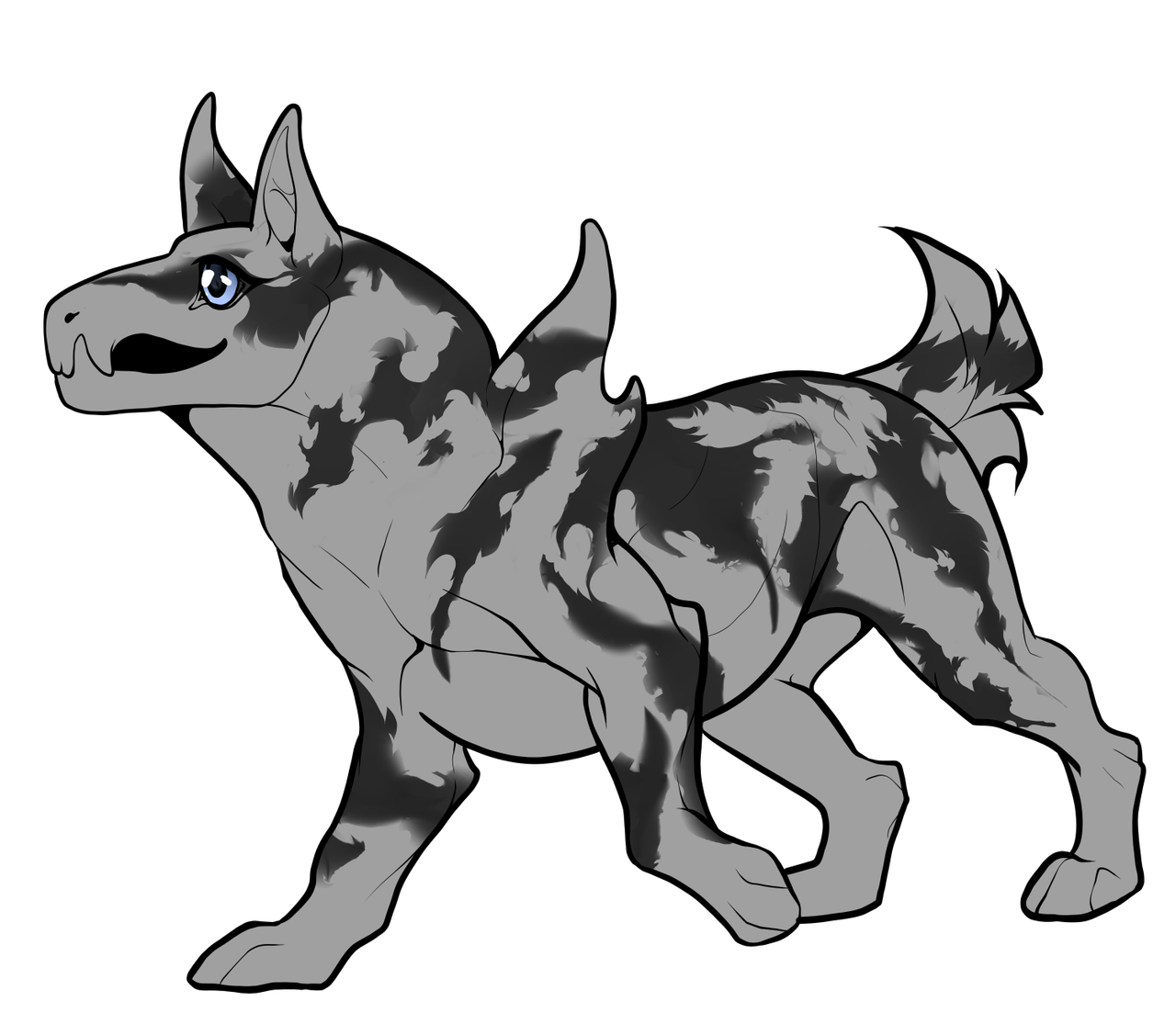
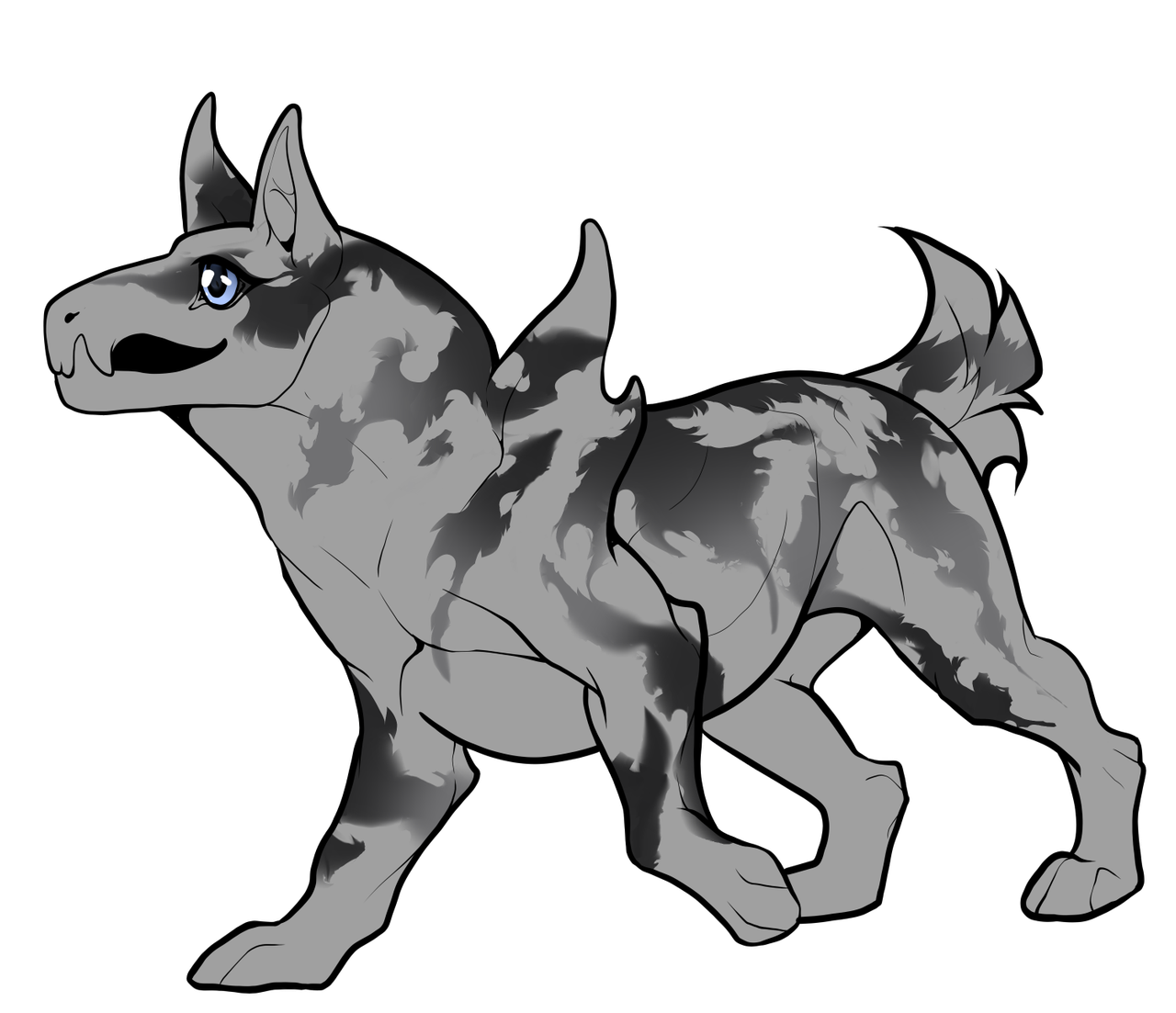
When you have Dual Tone in the pups' genetics which you wish to apply to this marking, you can make various tones of colours. However, all 'patches' must have multiple colours on each patch and should never be a standalone patch of colour.
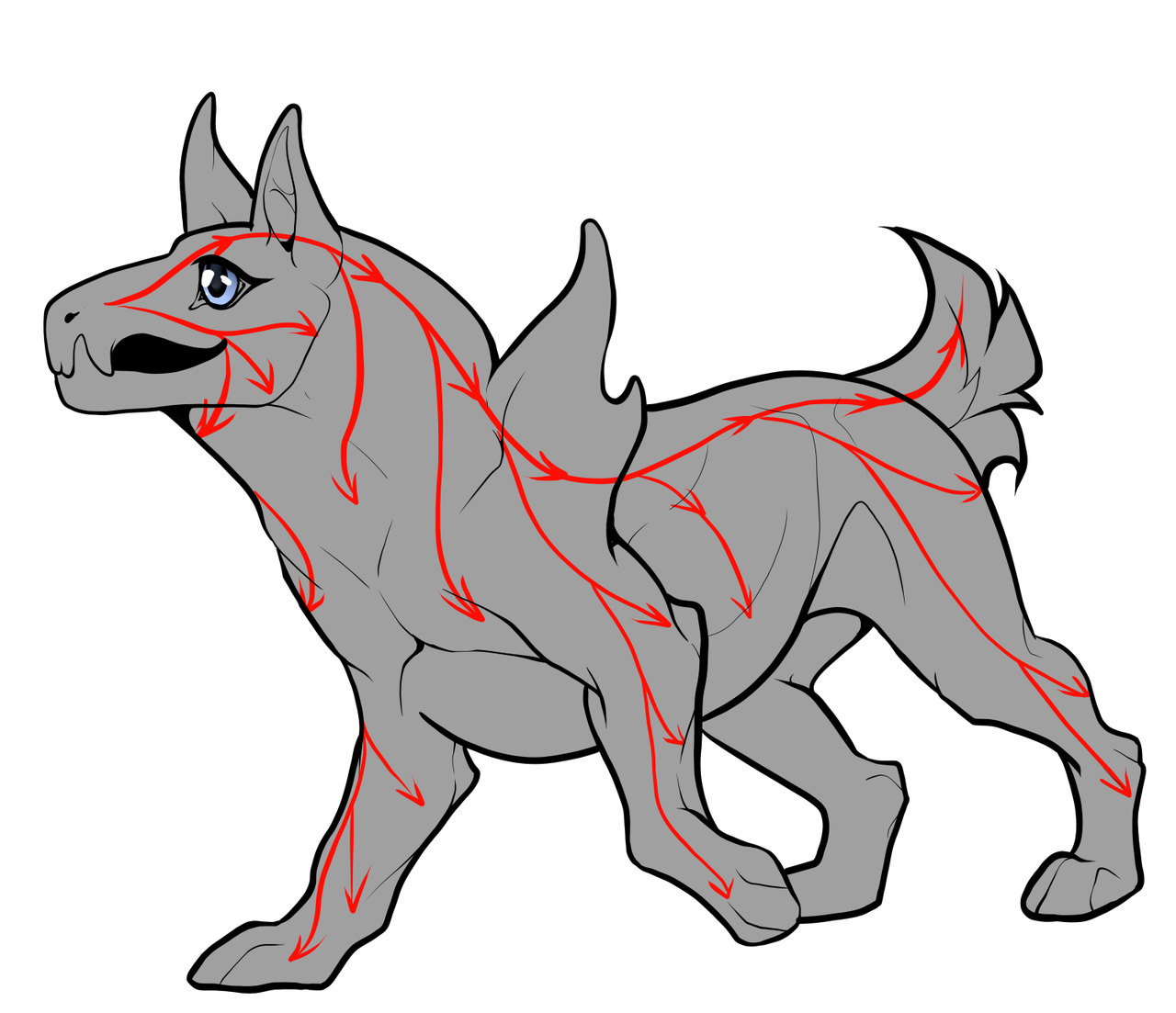
Above you can see the general fur direction which you can keep in mind when refining your markings.
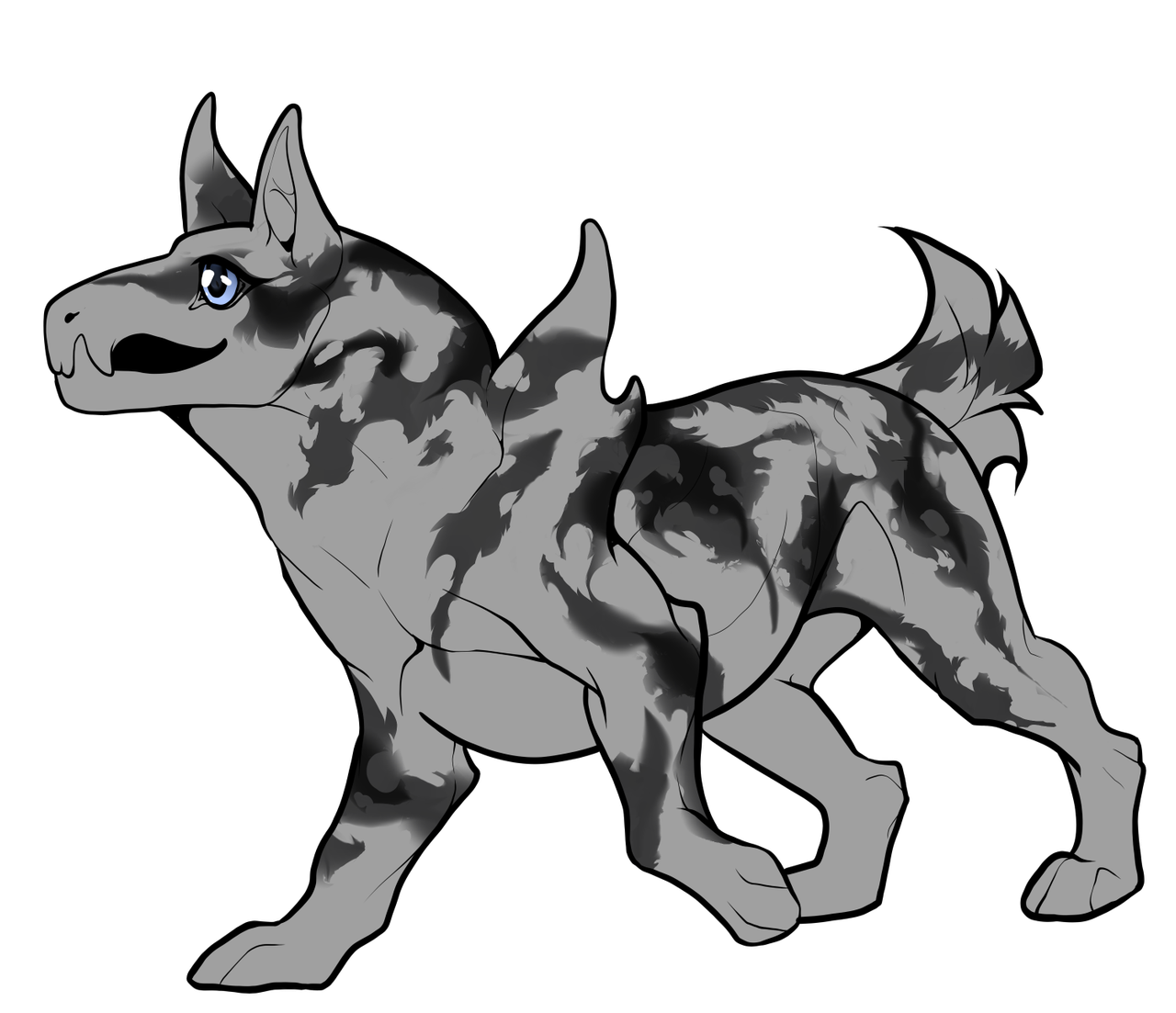
Spectral does not usually affect Merle, however, should you have Dual Tone, you can pick to do the 2 layer option to make the splotches be different colour. However, you can not make Spectral become a blurred colour.
Things to avoid:
- Try to avoid making your patches to be too circular that it would be considered more like glitz
- Do not use lighter colours than the base coat.
- Try to avoid marking too sharp edges on Sphynx builds or Aquatic Creatures, but again, do not make your patches too circular that it resembles Glitz Marking.
Examples on mythikans
[Examples coming soon]
Leopard Marking Style
Texture:
Marking Restrictions:

Colourations and interactions with other markings:
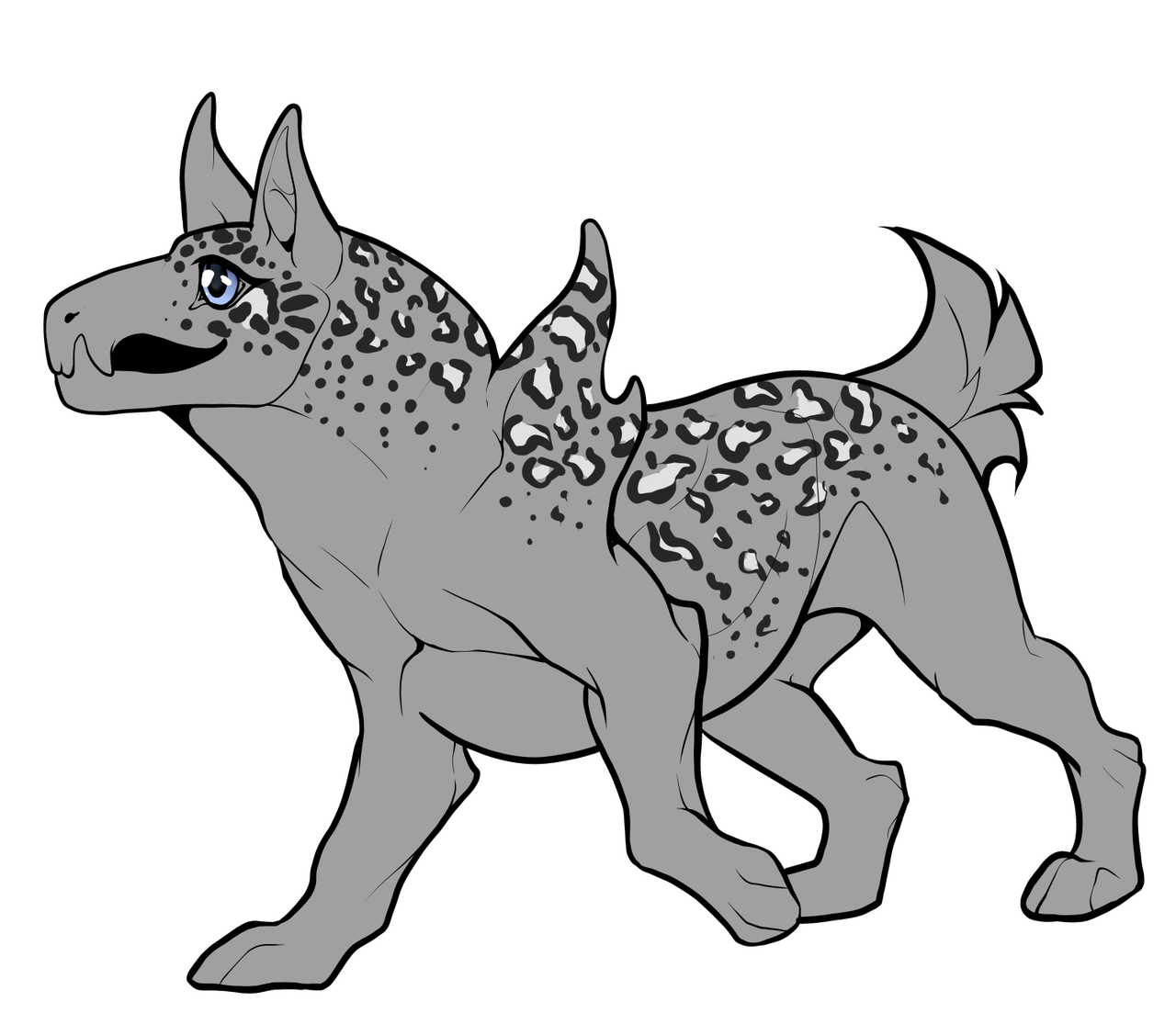
- You have a choice if to make the markings soft edge or hard edge.
- You must use the charcoal palette.
- If the Mythikan has no other markings, then Leopard Marking style should fill the entire body.
- If you have more than Merle marking, you can use your best judgement to resemble the Leopard markings.
- You can also ask on our Discord if you need help.
- Markings must resemble the Leopard with how the spots lay on the body.
- Bigger spots over the body area and smaller over the legs, tail, head and wings.
- For the underlayer of the charcoal patches on the body, you should use darker than the base coat
Things to avoid:
- If you have Glitz marking, then you must make Glitz be much smaller than the leopard spots but still not too small that anyone has to squint to see them.
Examples on mythikans
[Examples coming soon]
[Have questions? Ask them in our discord server image banner]