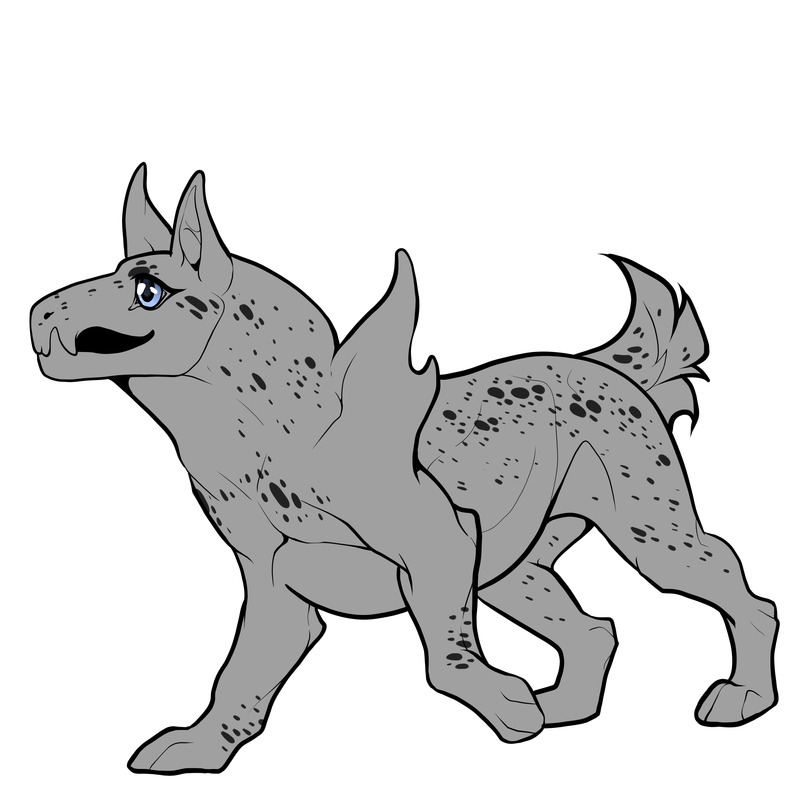
Glitz creates spots over the body which can be small or medium sized spots depending on which you marking style you go for. This marking can cover over the entire body and should appear on at least one section of the body without eye squinting nor trying to guess where the marking is.
It should cover at least 70% of the minimal coverage area listed below
If this marking is too hard to see on your Mythikan design, there will be a high chance of your design approval being instantly declined and asked to be reworked. You can only choose one marking style unless you are using Reversal with this marking.
Areas which are considered minimal coverage:
- Neck
- Chest
- Shoulders / front legs (if Polymelia, should be both set of front legs)
- Hips
- Hind legs (If Polymelia, should be both back legs)
- Tail
Speckles and Sparkles Marking style
Texture:

Marking Restrictions:

Colouration and interaction with other Markings:
- Makes various small and big spots over the body.
- Can be minuscule but should be visible to the naked eye without squint.
- Bigger spots can imitate animals such as Dalmations, hyena and cheetahs.
- Can be either lighter or darker than base coat.
- Reversal does not affect this marking style at all.

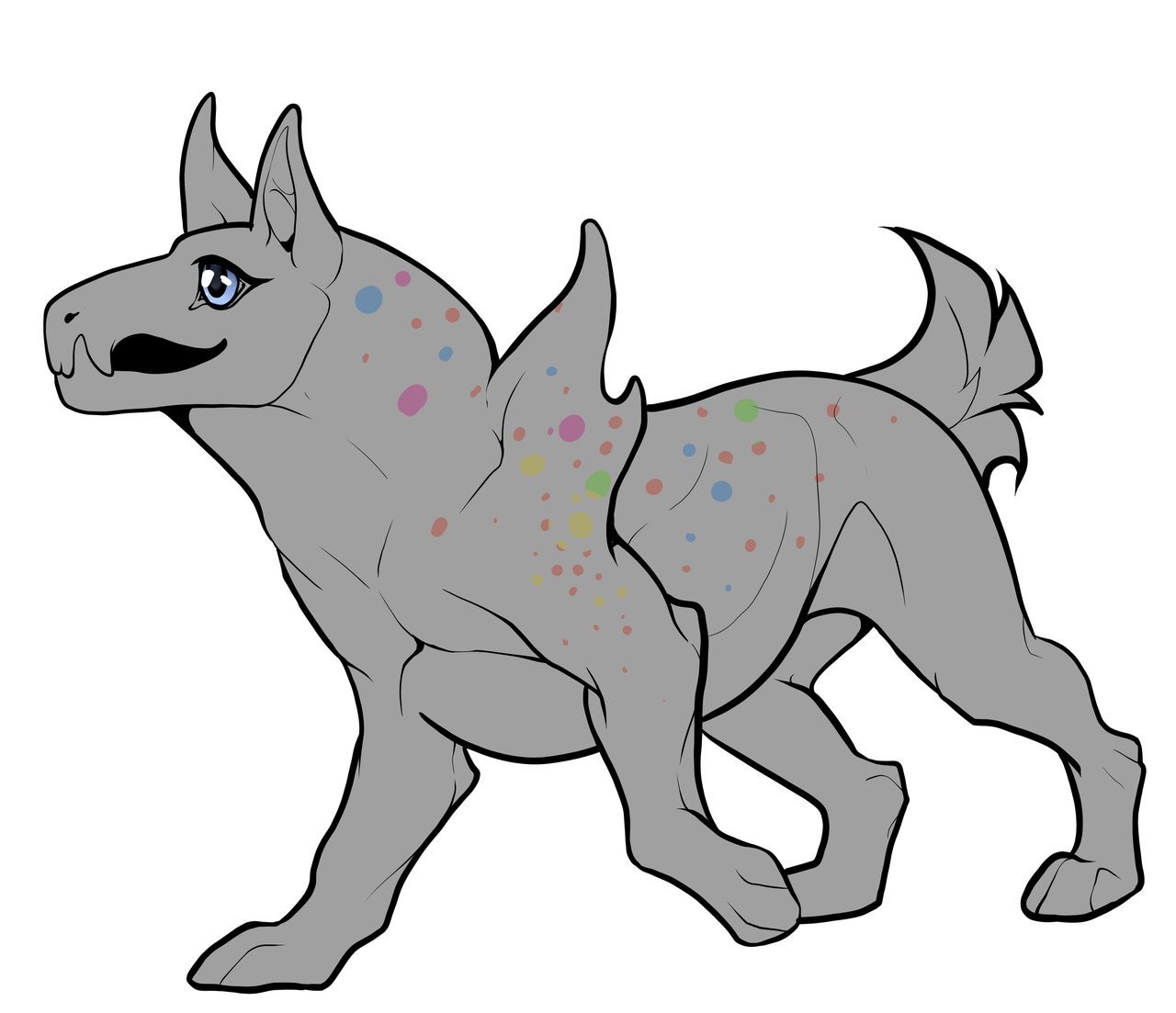
Only with Spectral marking can you make the spots to be different colours and appear as polka dots over the body. Only with Spectral can you make the marking appear like a snow leopard spots.
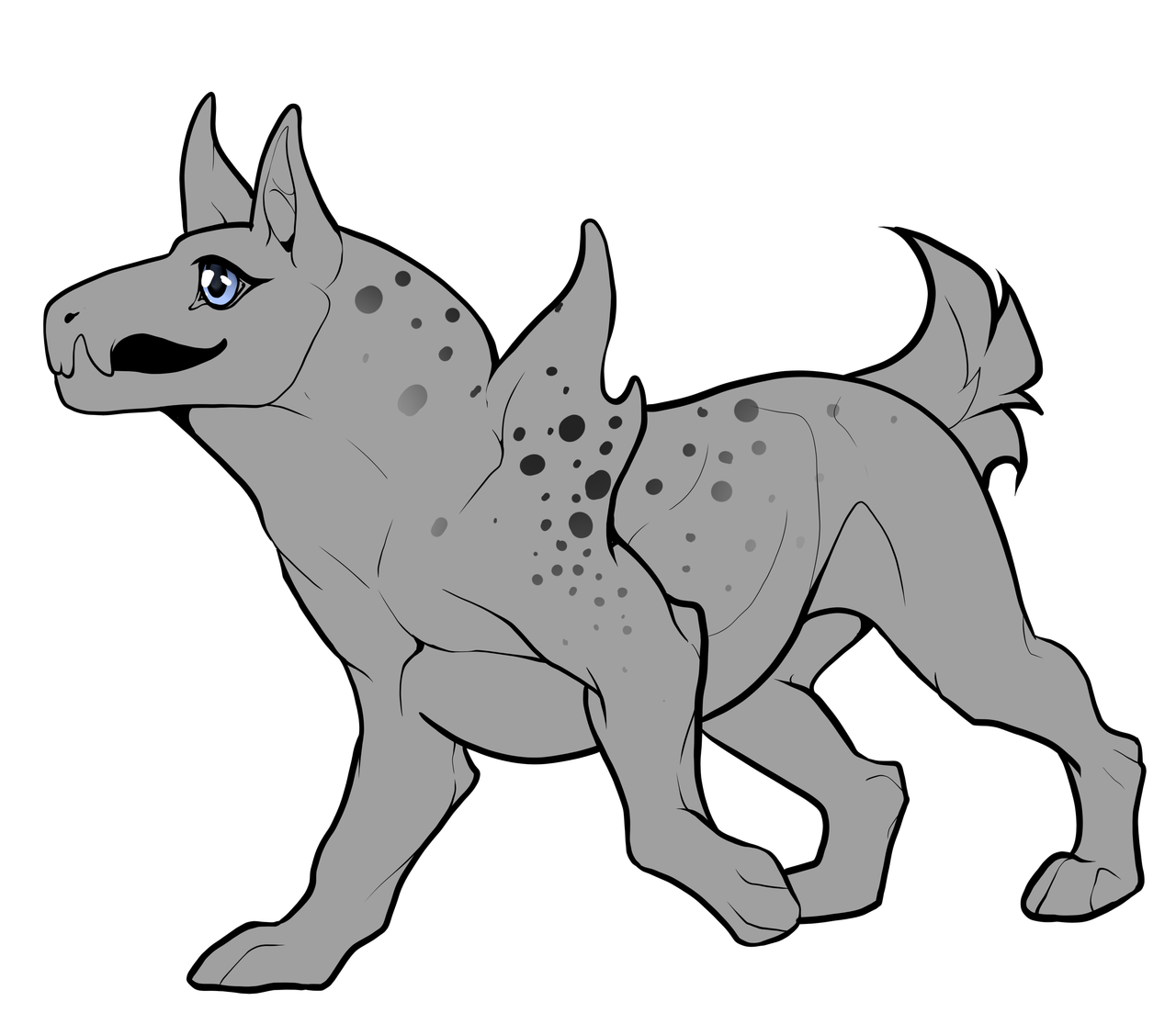
Dual Tone can only make the spots fade out into the body. It would not create gradients over the marking at all.
Things to avoid
- If you have both Spectral and Dual tone, you will need to pick one or the other.
- It can not add gradient to your polka dots and nor can it make your spots fade out either.
- If caught doing this, you will be asked to amend your design without it being checked.
Examples on mythikans
[Examples coming soon]
Hex Marking Style
Texture:
Marking Restrictions:
Colouration and interaction with other Markings:
- Imitates giraffe's hexagonal alike spots.
- Covers the majority area of the body.
- Should start at the spine area and trail into the body.
- Should be darker than the base coat.
- Natural like marking.

[Image]
Only with Dual Tone can this marking fade into the underbelly areas.
Only with Dual Tone can this marking fade into the underbelly areas.
[Image]
Reversal will only make the marking become lighter than the base coat.
Reversal will only make the marking become lighter than the base coat.
Things to avoid:
- Making this marking too circular Creating small 'spots'.
- They should be easily visible.
- Make the spots appear too linear
- Should not have any other markings layering above or below it apart from Calico, Piebald, Accents, Blanket and Void
Examples on mythikans
[Examples coming soon]
Fawn Marking Style
Texture:
Marking Restrictions:

Colouration and interaction with other Markings:
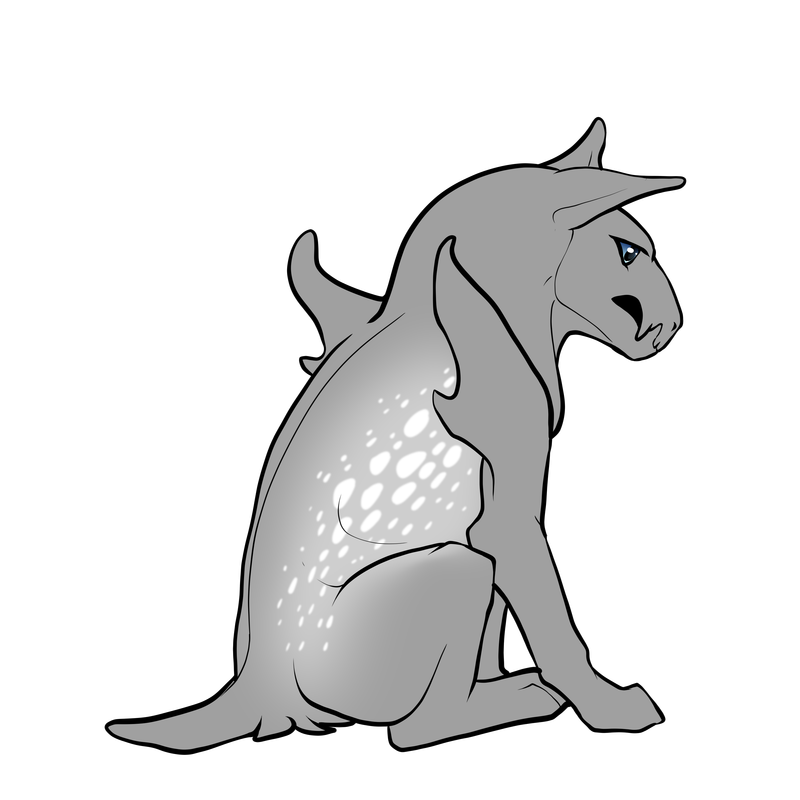
- Imitates the fawn animal's spots.
- Allows both blurred and soft marking textures together.
- Creates a blurred 'underlayer' then soft spots on top.
- Underlayer should be lighter than the base coat or pearl colours.
- Must be pearl colours or cream spots above the soft underlayer.
- Must be noticeable difference from the underlayer.
- Natural like marking.
- The spots start and finish will be smaller whilst the ones in 'the middle' will be bigger in size comparison.
[Image]
Shine will only affect the white spots and will only shine the same colour as the spots you are using.
Shine will only affect the white spots and will only shine the same colour as the spots you are using.
[Image]
On aquatic animals, this marking style will appear more like light reflected wave marking than spots.
On aquatic animals, this marking style will appear more like light reflected wave marking than spots.
Things to avoid:
- Making the spots look irregular and random.
- Try to keep the spots in a 'line' wrapping around the stomach and hips area.
- Spectral, Reversal nor Dual Tone can affect this marking.
Examples on mythikans
[Examples coming soon]
n our discord server image banner]